Measure Height
 Measure the height of anything from one photo
Point the camera, take the picture, get the size. The app reads scale from what is already in the frame, so you do not need a tape, a marker or a Pro iPhone.
Height, width and depth. Centimetres or inches. Every result shows its confidence.
What a result looks like
Bookshelf
- Height
- 182 cm
- Width
- 76 cm
- Depth
- 30 cm
Confidence 86%
Scaled against the door frame on the left, which reads as a standard 203 cm opening.
What it looks like on the phone
Four real results. Every number comes with the reference the app used to get there, so you can tell an estimate you can act on from a guess.
-
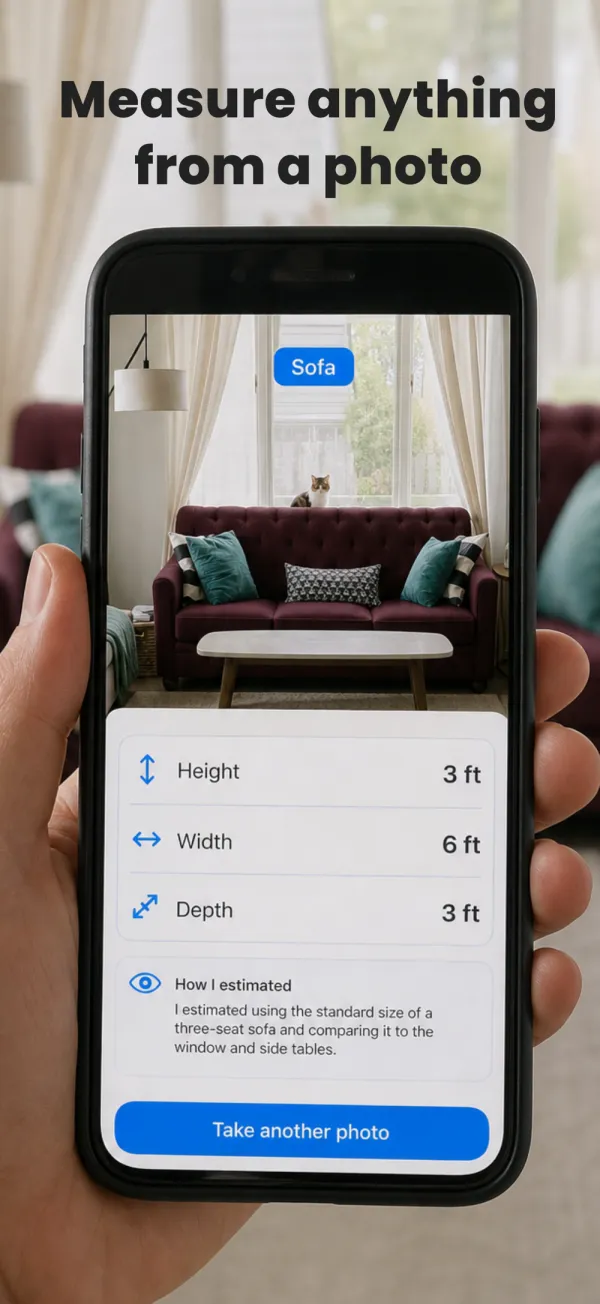
One photo in, three numbers out
-
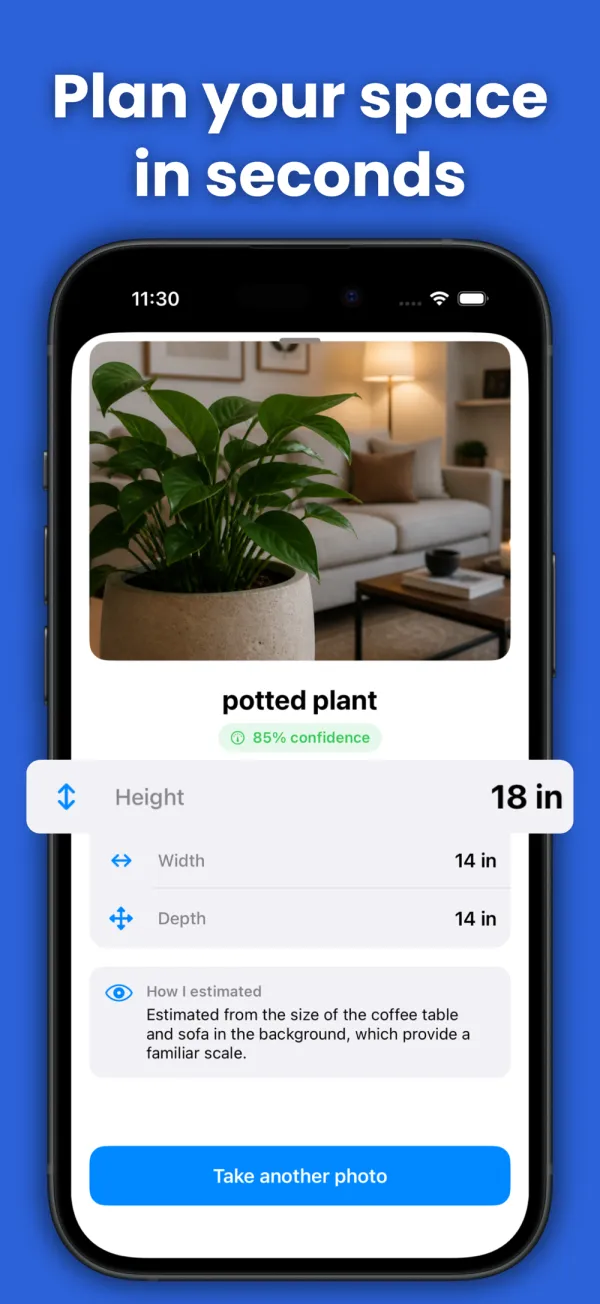
Every result carries a confidence score
-
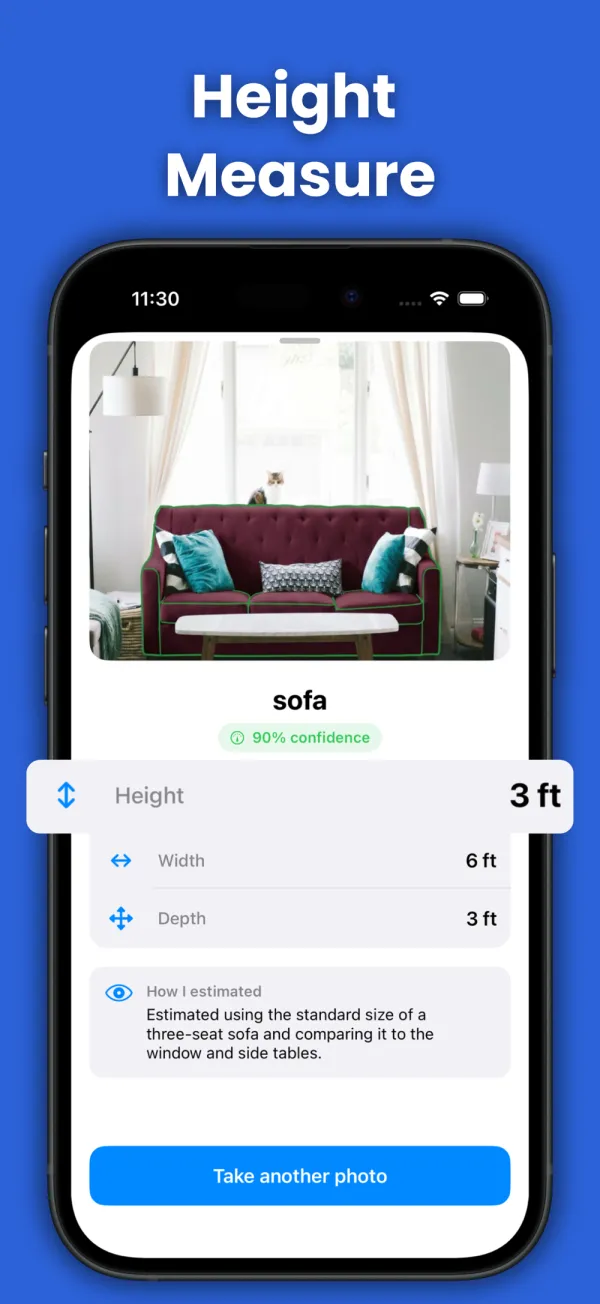
It shows you what it locked on to
-
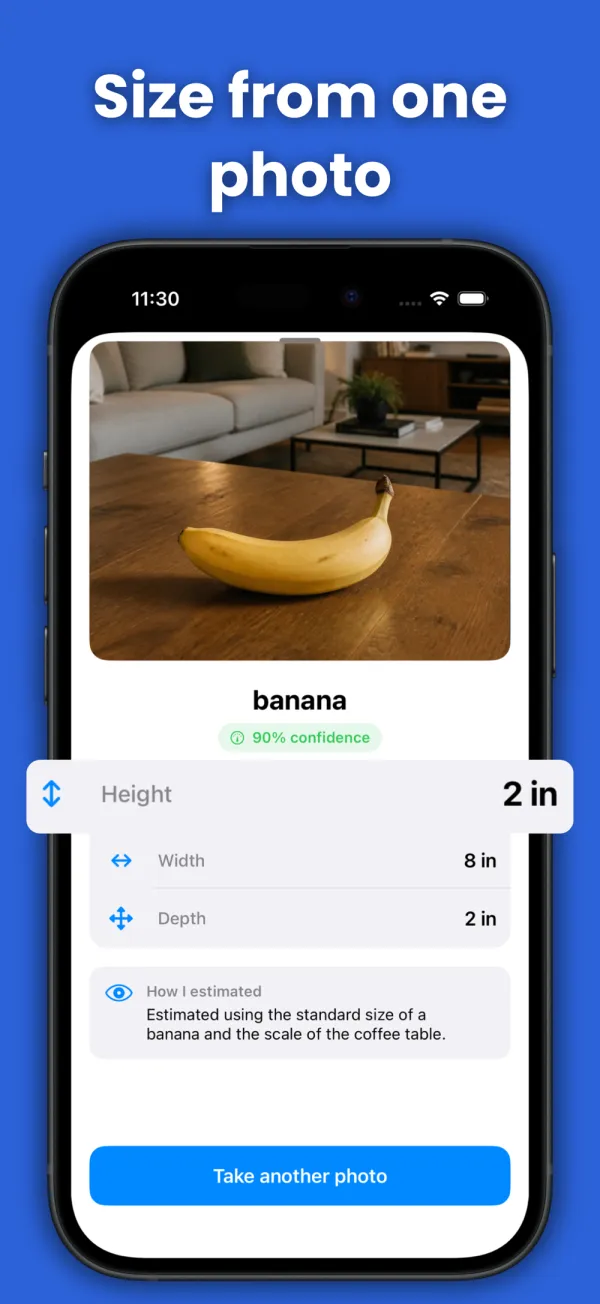
Small objects, scaled off what is nearby
Three steps, about five seconds
Take the photo
Frame the whole object, from the ground to the top. Nothing to tap, no dragging a line across the screen.
The AI reads the scene
It works out scale from what else is in frame: a door, a chair, a bottle, a person. That is how a builder eyeballs a wall, done properly.
You get three numbers
Height, width and depth, in centimetres or inches, plus a confidence score and a short note on how it got there.
Where it earns its keep
- ✓ Furniture you are about to buy secondhand and the seller never listed the size
- ✓ A tree, a fence or a wall you cannot reach the top of
- ✓ A parcel, before the courier charges you for the wrong bracket
- ✓ A doorway, to check the sofa fits before four people carry it upstairs
- ✓ A pet, a plant, a bike, anything that will not stand still against a tape
Where it will let you down
- ✕ Anything where being 5% out matters: cabinetry, plumbing runs, tiling
- ✕ Objects photographed from directly above or at a hard angle
- ✕ A close-up with nothing else in frame, since there is no scale to read
A photo estimate is a photo estimate. If the number decides whether something fits in a hole you already cut, use a tape.
Questions
How accurate is it?
Close enough to decide something, not close enough to cut wood. It reads scale from context, so a photo with a door or a person in it lands much closer than a close-up of a lamp against a blank wall. Every result carries a confidence score, and the app tells you what it used as a reference, so you can judge whether to trust it.
Does it need LiDAR or a Pro iPhone?
No. The measurement happens from a normal photo, so any iPhone that can take a picture works. Apple's own Measure app needs LiDAR for anything reliable, which is why it is limited to Pro models.
Can it measure a person's height?
Yes, and it is the most common use. Stand the person against a wall or next to something ordinary like a doorframe, take the photo from a few steps back, and keep the camera roughly at chest height. Shooting from below makes people read taller than they are.
Does it measure width and depth too?
Every result includes all three. Depth is the least reliable of them, because a single photo only shows one face of an object, so treat it as a rough figure unless you shot the object at an angle.
Is it free?
The app is free to download and your first measurement is free. Unlimited measuring is Measure Height Pro: the weekly plan starts with a 3-day free trial, and there is also a yearly plan. Cancel anytime in your Apple ID settings.
Stop guessing at sizes
One photo, three measurements, and an honest confidence score telling you how much to trust them.